Pipaya
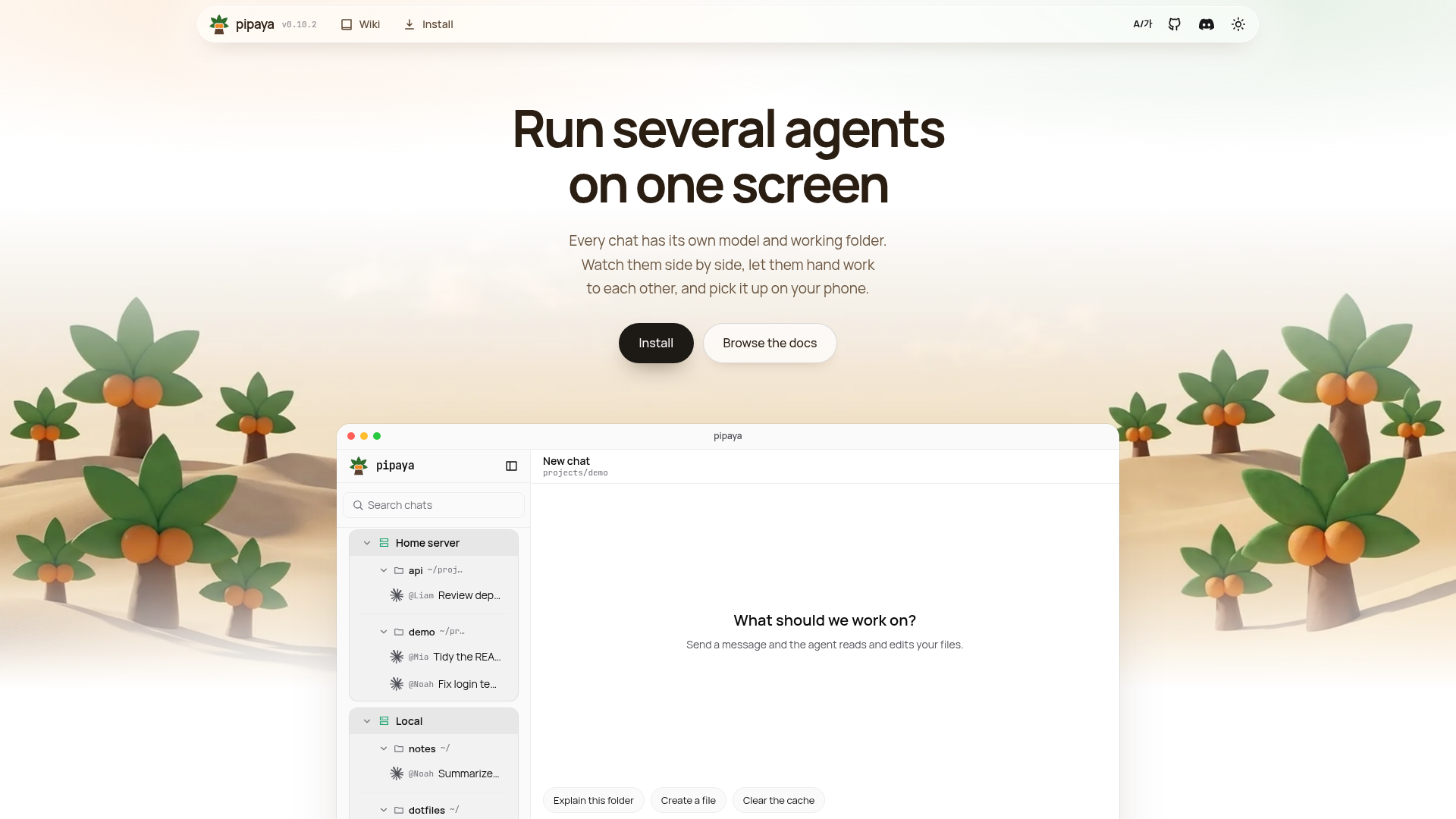
Put up to 8 AI agents, each with its own model and working folder, on one screen and let them hand work to each other. Open source (MIT).
Pipaya at a Glance
- Pricing
- Free
- How you use it
- Install the client app and server, or use the web client on Linux.
- Who it's for
- People using coding agents to work on files
Pipaya Key Features
- Edit files
- Hand off tasks
- Run multiple agents
- Work across sessions
Can't Find What You're Looking For?
We build custom AI agents tailored to your specific business needs. From ideation to deployment, TinyAI.Tools is your partner in AI innovation.
No commitment required. Let's discuss your ideas.
Pipaya Alternatives
OpenGUI
OpenGUI is a desktop and web AI agent that reads, writes, and edits files and runs commands in a folder you choose. Connect your own model. No Git or coding-agent CLI required.
AIPass
AIPass gives each of your projects an agent that remembers. Switch projects in seconds, hand work over, and reach your machine from your phone. Open source, runs on your own machine.
termish
An open-source SSH and Mosh terminal with AI conversations, file management and remote screen control. MIT licensed. Available for Android; iOS is not publicly available yet.
remnic
Open-source, local-first memory for AI agents. Claude Code, Codex CLI, Cursor, ChatGPT, and every MCP client share one memory store: plain markdown files on your machine. MIT, free forever.

Reminal
Your coding agents keep working after you walk away. Watch them, answer them, and let them reach each other, from any browser. Open source, no account.
Yardsort
Orchestrate coding agents on Linux, macOS and Windows. Parallel worktrees; hand work between agents without re-explaining. - joaoh82/yardsort